As of November 2025, AI image animation tools have evolved far beyond novelty. Whether you’re creating marketing videos, personalized content, memes, or short-form assets for social, converting still images into dynamic video is now fast, cheap, and scalable — if you choose the right tools.
After testing over a dozen platforms across image-to-video, face swap, and talking photo categories, these are the best options available today. I guarantee at least one of these will match your needs — whether you’re a creator, marketer, or startup building AI content workflows.
Best Image to Video AI Tools at a Glance
| Tool | Best For | Modalities | Platforms | Free Plan | Paid Plans Start At |
|---|---|---|---|---|---|
| Magic Hour | Image-to-video, talking photo, face swap | Image ➝ Video, Face Swap, Talking Photo | Web, API | Yes | $15/mo |
| D-ID | Talking avatars, simple video generation | Talking Photo, Avatar Video | Web, API | Yes | $5/video |
| HeyGen | Business avatar content | Talking Photo, AI avatars | Web, API | No | $29/mo |
| Reface | Face swaps and meme content | Face Swap, Video Editing | Mobile (iOS/Android) | Yes | $9.99/mo |
| DeepSwap | High-res face replacement | Face Swap, Video Swap | Web | No | $9.99/mo |
| Pika Labs | AI-generated animations | Text/Image ➝ Video | Web (Beta) | Yes | TBD (Beta) |
### 1. Magic Hour — Best Overall Image Animation Tool
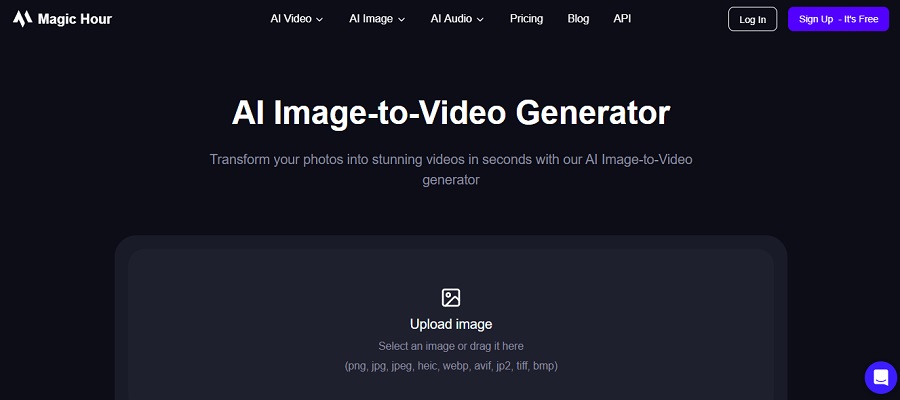
Magic Hour stands out as the most versatile and high-quality platform for animating static images. Unlike single-purpose tools, it supports three core capabilities:
After testing multiple platforms, Magic Hour consistently delivered the most natural motion, expression, and audio-visual syncing. The UI is fast, intuitive, and doesn’t bury you in technical setup.
Pros:
- Best-in-class visual realism for face motion and lip sync
- Multiple styles: cinematic, meme, AI art, realism
- Face Swap is fast and clean with minimal artifacts
- API available for automation or integrations
- Regularly updated with new styles and voice options
- Generous free plan for experimentation
Cons:
- Web-only (no mobile app yet)
- Style fine-tuning limited in free tier
- No batch processing (yet)
If you’re looking for a platform that can take a single still photo and turn it into multiple types of short-form animated content — from music videos to talking head explainers to viral face swaps — this is hard to beat.
Pricing:
- Free plan available
- Creator: $15/mo (monthly) or $12/mo (annual)
- Pro: $49/mo
- API pricing available on request
### 2. D-ID — Best for Quick Talking Photos
D-ID pioneered AI talking head technology and remains a solid option for simple explainer videos, onboarding flows, and spokesperson content.
Pros:
- Very fast rendering
- Solid voice library with multilingual support
- Supports multiple photo styles
- Commercial usage allowed
Cons:
- Limited realism in facial motion compared to Magic Hour
- Background visuals are static
- Expression range is narrow
- Less visual customization
If you just need a talking photo for product intros or basic AI avatar content, D-ID gets the job done with minimal friction.
Pricing:
- Pay-per-video model (~$5/video)
- Enterprise plans available
### 3. HeyGen — Best for Business Avatar Content
HeyGen leans into corporate use cases — think sales pitches, training content, and customer support avatars. You get access to polished templates and realistic AI presenters.
Pros:
- Extensive avatar selection
- Enterprise-focused features (team sharing, branded templates)
- Easy slide-based editor
- Supports video translations
Cons:
- Not photo-based — requires you to choose from stock avatars
- Custom avatar training is expensive
- Limited animation style variety
Best suited for marketing and training teams that need polished spokesperson videos — not creators looking to animate their own photos.
Pricing:
- Starts at $29/mo
- Free trial with watermark
### 4. Reface — Best for Fun Face Swaps and Memes
Reface remains one of the most popular mobile apps for quick and viral face swaps. It’s fast, fun, and heavily meme-driven.
Pros:
- Mobile-first experience
- Tons of meme/video templates
- Easy face capture and replacement
- Real-time preview
Cons:
- Not built for pro workflows
- Quality varies by template
- Watermarked output in free version
- No desktop/web platform
If you’re making TikToks, social memes, or just want to experiment, Reface is a solid option — but not a pro content tool.
Pricing:
- Free version with ads/watermark
- Pro: $9.99/month on mobile
### 5. DeepSwap — Best for High-Quality Face Replacement
DeepSwap is a browser-based platform focused specifically on face replacement. It’s widely used for parody, film edits, and deepfake-style clips.
Pros:
- High-resolution output
- Works well with video uploads
- Fast processing times
- Face morphing tools included
Cons:
- UI is clunky
- Limited creative options
- Not great for casual users
- Watermarks in free trial
If you’re working on realistic face swaps at scale — like film reenactments or personalized video campaigns — this is worth considering.
Pricing:
- No free plan
- Starts at $9.99/mo
### 6. Pika Labs — Best for AI-Generated Animation (Beta)
Pika Labs is still in beta but rapidly becoming a favorite for experimental content. Unlike the others, it uses text or image prompts to generate stylized animation from scratch.
Pros:
- Creative flexibility
- Impressive AI-rendered motion
- Prompt-based generation
- Continually improving
Cons:
- Still in beta
- Style control is limited
- No commercial licensing clarity yet
Great for artists and motion designers looking to push visual boundaries, not ideal yet for consistent business use.
Pricing:
- Free (beta access)
- Paid plans not yet public
How I Tested These Tools
I spent two weeks running identical photo inputs through each platform — including high-res portraits, illustrated avatars, and product images. Each tool was evaluated on:
- Output quality: realism, smooth motion, visual clarity
- Ease of use: UI speed, learning curve
- Rendering time: time to generate outputs
- Creative control: animation style options, voice choice, expressions
- Pricing and value: what you get at each tier
Magic Hour consistently led across all categories — especially for multi-purpose content creators.
Trends in AI Image Animation (Late 2025)
Several clear shifts are happening:
- Multi-modal tools are winning. Single-feature platforms are being overtaken by tools like Magic Hour that combine talking photo, image-to-video, and face swap in one place.
- APIs are becoming essential. Developers want automation-ready tools. Platforms without APIs are falling behind.
- Quality bar is rising fast. Users now expect lifelike motion and lip sync — not just novelty effects.
Keep an eye on emerging players like Runway, Pika Labs, and Kaiber — but most aren’t as polished yet for mainstream use.
✅ Final Takeaways: Which Tool Should You Use?
| Use Case | Best Tool |
|---|---|
| Best overall, most flexible | Magic Hour |
| Quick talking head videos | D-ID |
| Avatar-based business content | HeyGen |
| Fun face swaps and memes | Reface |
| Realistic face replacement | DeepSwap |
| Experimental generative video | Pika Labs |
If you’re serious about turning static images into engaging videos — across multiple formats — start with Magic Hour. It’s the only platform in this list that handles all three major image animation modes:
- Image to video AI
- Talking photo
- Face Swap
❓FAQ
What is the most realistic AI tool for animating photos?
Magic Hour currently delivers the most lifelike motion, facial syncing, and visual fidelity for both talking photos and image-to-video animation.
Are AI face swap tools safe to use?
Yes, most reputable tools use your uploaded data securely and don’t store content long-term. Always read the privacy policy before uploading personal photos.
Can I use these tools for commercial projects?
Yes — platforms like Magic Hour, D-ID, and HeyGen offer commercial licenses. Free tools like Reface may restrict business use.
Do I need technical skills to use Magic Hour?
No. It’s built for creators and marketers — just upload your image, select a style, and render in minutes.
Is there a free plan I can try?
Yes. Magic Hour offers a free tier, as do some others like D-ID and Pika Labs.